
Skip to Content
BowlTune by BuddhaChime
Ready to listen

Free online singing bowl tuner

BowlTune by BuddhaChime measures a singing bowl’s musical note, frequency in hertz (Hz), and cents deviation using your microphone or an audio recording. Try a single strike, continuous rim playing, or three comparable strikes. No app installation or account is required.

—
A4 = 440 Hz
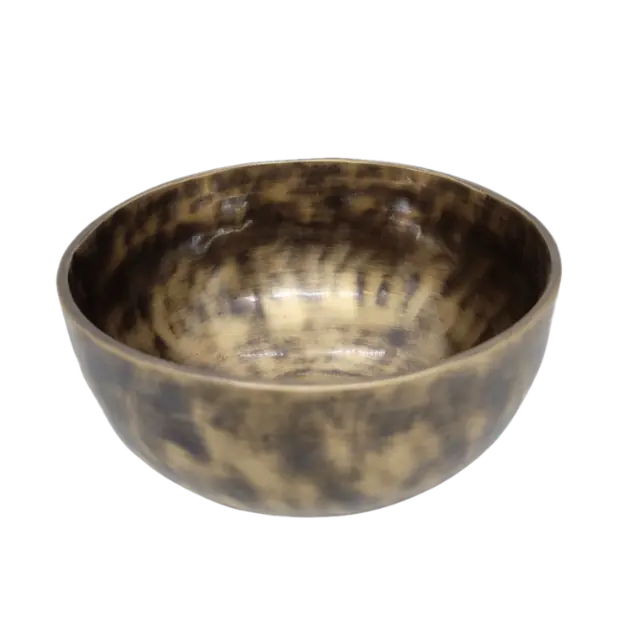
Himalayan singing bowl on the BowlTune tuner dial
— ¢ —

Tap Analyze, then strike or rim the bowl

All chakras ready

Chakra Map

Meditating figure showing the seven chakra positions

Chakra Insight

Analyze your bowl to discover its traditional chakra association and resonance profile.

Acoustic measurement

Studio Analysis

Ready
Tap Analyze to see the live spectrum
Main note — Frequency — Hz Tuning —
BowlTune

Studio Analysis

— · — Hz

Tap Analyze, then strike or rim the bowl

Ready
◎ Strongest resonance — Hz
▥ Peak level — dBFS
⌗ Resolution — Hz/bin
◉ Resonance-weighted brightness — Hz
≈ Estimated beating —

Frequency Spectrum

High-resolution logarithmic frequency analyzer

Ready
⌁ Analyze a bowl to see its frequency profile
Spectrum Peak hold 30 Hz–8 kHz · logarithmic
Singing bowl profile

Detected Resonances

No resonances detected yet.

◷ Observed decay (−20 dB) —
≈ Pitch stability Waiting
BowlTune

Chakra Set Builder

Set completion 0 / 7

Save analyzed bowls to fill a complete 7-note chakra set. Empty slots show which notes you still need.

BowlTune

Settings & Saved Bowls

4s
♩ Built-in microphone · Ready

Chakra associations follow a common sound-healing convention and are not medical measurements.

Collection

Saved Bowls

◯ No saved bowls yet

Analyze a bowl, then save its result here.

How to find your singing bowl’s note

  1. Place your phone or microphone about 30–50 cm from the bowl, away from the surface it rests on.
  2. Choose Strike, Rim or Avg ×3. Press Analyze My Bowl and allow microphone access. Keep quiet during the initial room check.
  3. Wait for the ready message, then strike once with a padded mallet or rub the rim for a sustained tone.
  4. Read the note, octave, Hz and cents. If the result is unconfirmed or two close modes appear, select a resonance or measure again.

What this singing bowl frequency finder measures

Musical note
The nearest note and octave for the selected resonance, such as A3 or C4.
Frequency (Hz)
How many cycles per second the selected tone makes. This is separate from the A4 tuning reference.
Cents
Distance from the nearest note under the selected reference. 100 cents is one semitone.
Resonances and beating
Accepted spectral peaks and, when resolved, two close modes and their frequency difference.
Repeatability
Avg ×3 compares three accepted captures of the same resonance. It does not establish calibrated device accuracy.
Traditional chakra association
An optional note-association interpretation. Its scores are software-defined, not medical measurements.

Note and frequency examples at A4 = 440 Hz

These are equal-tempered reference values, not measurements of a particular bowl. A handmade bowl may fall between notes.

Note Reference frequency How to read it
A3 220.00 Hz One octave below A4
C4 261.63 Hz Middle C
A4 440.00 Hz The selected reference note

Why singing bowls need more than a single note label

A singing bowl can produce several resonances. The strongest tone may be above the lowest detected resonance, and changing the mallet, strike point or rim technique can change which tone dominates. BowlTune keeps the main reading and lowest detected resonance separate.

When analysis resolves 220 Hz and 222 Hz, those are two modes with a 2 Hz difference. Their 221 Hz center is an average position, not a third measured resonance. The tuner identifies near-equal pairs as ambiguous rather than silently certifying one.

The analysis filters weak artifacts, looks for a continuous stable interval, and refines the selected frequency before holding the result. Quiet conditions, consistent playing and repeated measurements remain important.

Singing bowl tuner questions

Is BowlTune free?

Yes. The tuner is free to use in a compatible browser. No account or app download is required.

Can I check a singing bowl’s frequency on my phone?

Yes, if your browser supports microphone access. Open the tuner in your phone’s browser, allow the microphone and place it about 30–50 cm from the bowl. You can also analyze a supported audio file.

What should I do if the note keeps changing?

Reduce voices, fans and traffic noise, keep the microphone position consistent, and wait for the bowl’s attack to settle. A changing note can reflect competing resonances. Use Avg ×3 to compare repeated strikes and retake unconfirmed results.

What is the difference between Strike, Rim and Avg ×3?

Strike captures a single hit for the selected time. Rim follows continuous playing until you stop it, with a 60-second maximum. Avg ×3 compares three separate accepted strikes; one imported recording is still one measurement.

Does choosing 432 Hz change my bowl’s actual frequency?

No. The A4 reference changes how frequency is mapped to note names and cents; it does not alter the bowl’s sound. New measurements use the selected reference, while saved measurements retain their original reference.

Can this tuner physically tune or adjust a singing bowl?

No. BowlTune measures sound. It cannot change the bowl’s material, shape or pitch. Its readings can help you compare bowls or discuss a selected resonance with a maker.

How accurate is this singing bowl tuner?

The software has been tested with known tones, synthetic bowl signals, noise and split modes. Real-device error bounds have not yet been established. Displayed analysis resolution is not calibrated accuracy, and the tool should not be the sole basis for a tuning certificate.

Why can BowlTune disagree with another tuner?

Different tools can select different resonances or use different A4 references. Compare the same recording, octave, selected resonance and reference setting before judging a disagreement. Agreement with a particular commercial tuner is not guaranteed.

Is microphone audio uploaded?

The tuner analyzes microphone and imported audio in your browser; it does not upload those recordings. Sharing a Sound Passport shares measurement values, not the audio. Download recordings before starting another capture if you want to keep them.

Does BowlTune work in Korean?

Yes. Open the Korean singing bowl tuner using the 한국어 link. It provides Korean instructions, interface labels and explanations of notes, frequency and cents.